Install Saily and choose a server
Use Add Saily, choose a Discord server where you have Manage Server, then authorize only the permissions Saily needs. Sign in to the dashboard with the same Discord account and select the server.
- Confirm Saily appears in the member list.
- Move Saily's role above roles it needs to assign or moderate.
- Open Overview and check Gateway, permissions, and quota health.
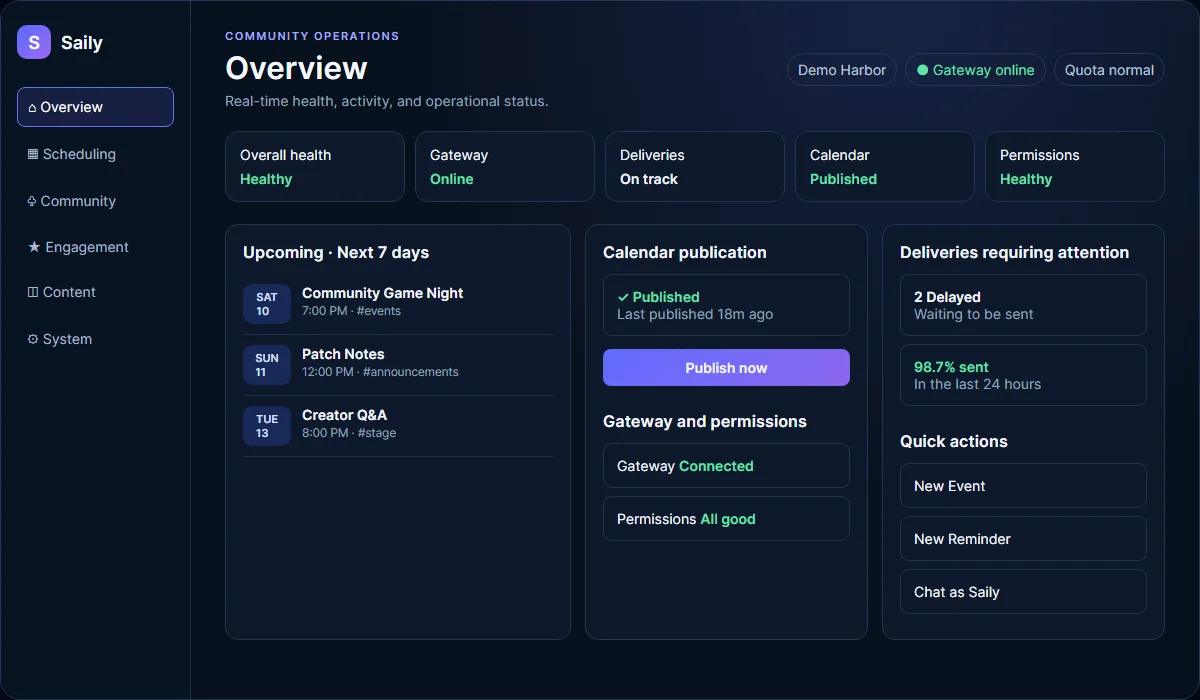
Dashboard navigation and feature controls
The left sidebar groups Scheduling, Community, Engagement, Content, and System tools. Feature controls on Overview decide which optional tools are active for the selected server.
- Check the connected server name before changing settings.
- Turn on only the features your community will use.
- A green sidebar dot means the feature is enabled. A red dot means it is off.
Dashboard help and status
Each dashboard page and major panel includes a question-mark control with short, task-specific guidance. The shared footer keeps documentation, Premium, legal links, the Saily version, and current service status available on every page.
- Hover, focus, or select a question-mark control to open its help.
- Press Escape to close open help.
- On narrow screens, help appears inline so it stays inside the viewport.
- Use Refresh on the active page when you need current feature data.
Events
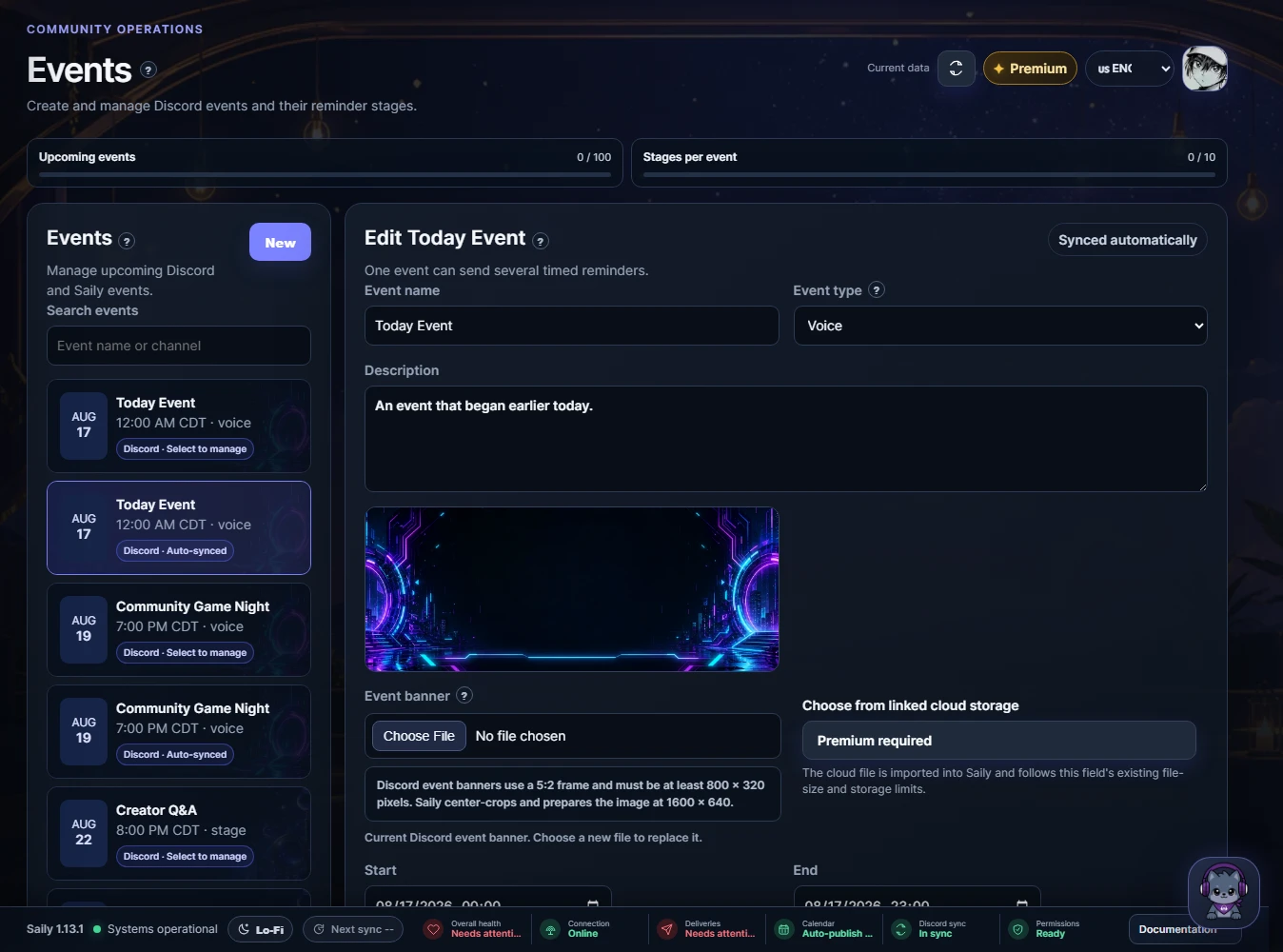
Events automatically list upcoming Discord Scheduled Events. Select one to edit its Saily details, banner, hosts, checklist, and reminder stages. Changes to linked events sync back to Discord.
- Voice events show voice channels, Stage events show Stage channels, and External events accept a location.
- Discord recommends event artwork at a 5:2 ratio, with at least 800 by 320 pixels.
- After-event messages can be linked to Discord's End Event action.
Reminders
Create one-time or recurring messages with a destination, local time, mentions, media, and Discord-style preview. Monthly and annual messages can use date-aware template variables.
- One-time files are removed after successful delivery.
- Use Test now to check permissions and formatting.
- Paused reminders keep their configuration but do not post.
Community calendar
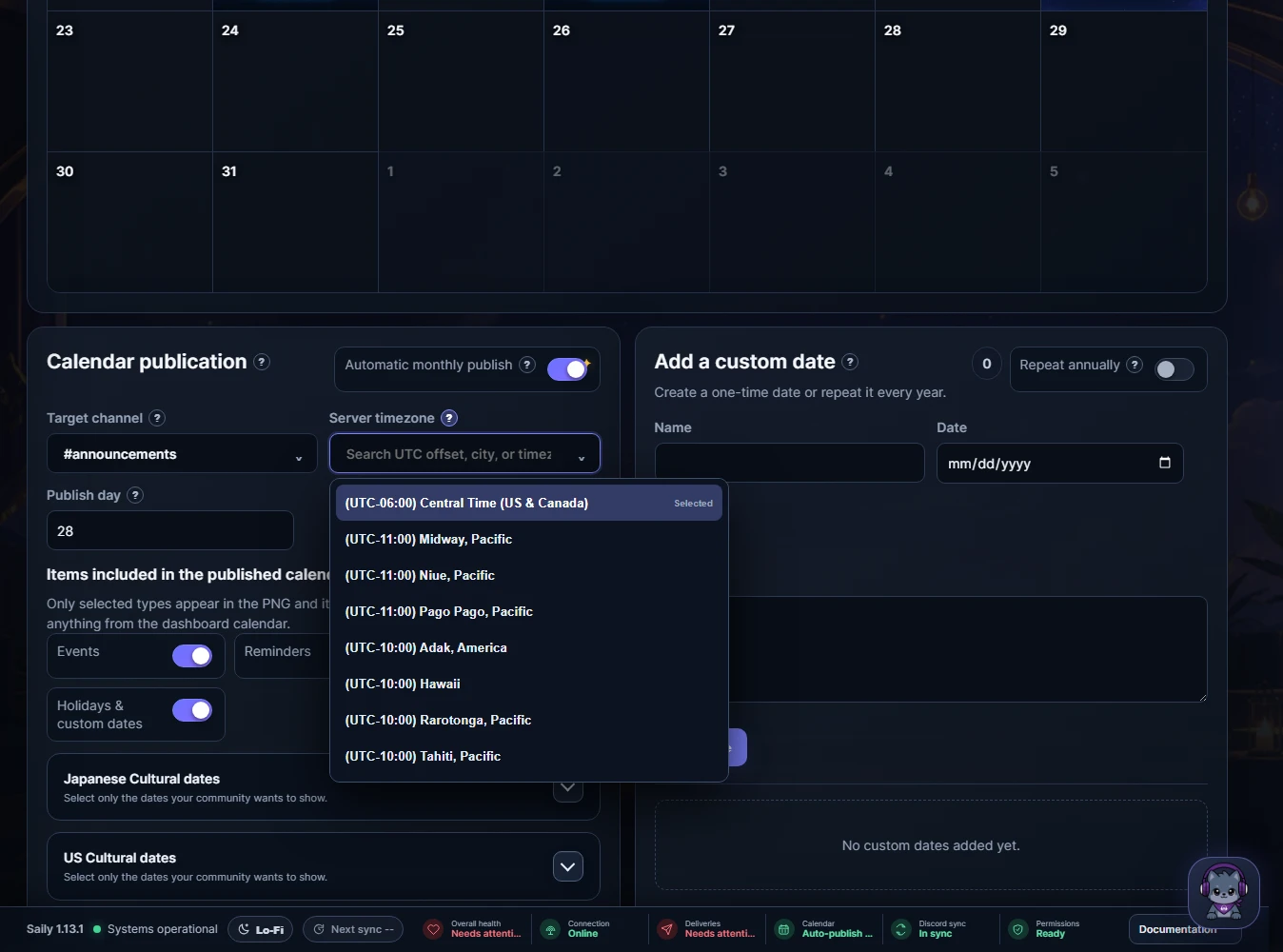
The calendar combines events, reminders, birthdays, holidays, and custom dates. Publication filters control both the PNG and accessible message summary.
- Free servers can preview and publish manually.
- Premium can publish automatically and send monthly subscriber DMs.
- Times display in the server timezone and Discord-local timestamps are used in messages.
Daily prompts
Each prompt pool posts one randomized entry at its scheduled local time. An entry is not repeated until the whole pool has been used, then a new cycle begins.
- Japanese text is supported.
- Edit or delete a pool from its saved list.
- Test sends do not remove the entry from the current cycle.
Welcome messages and role panels
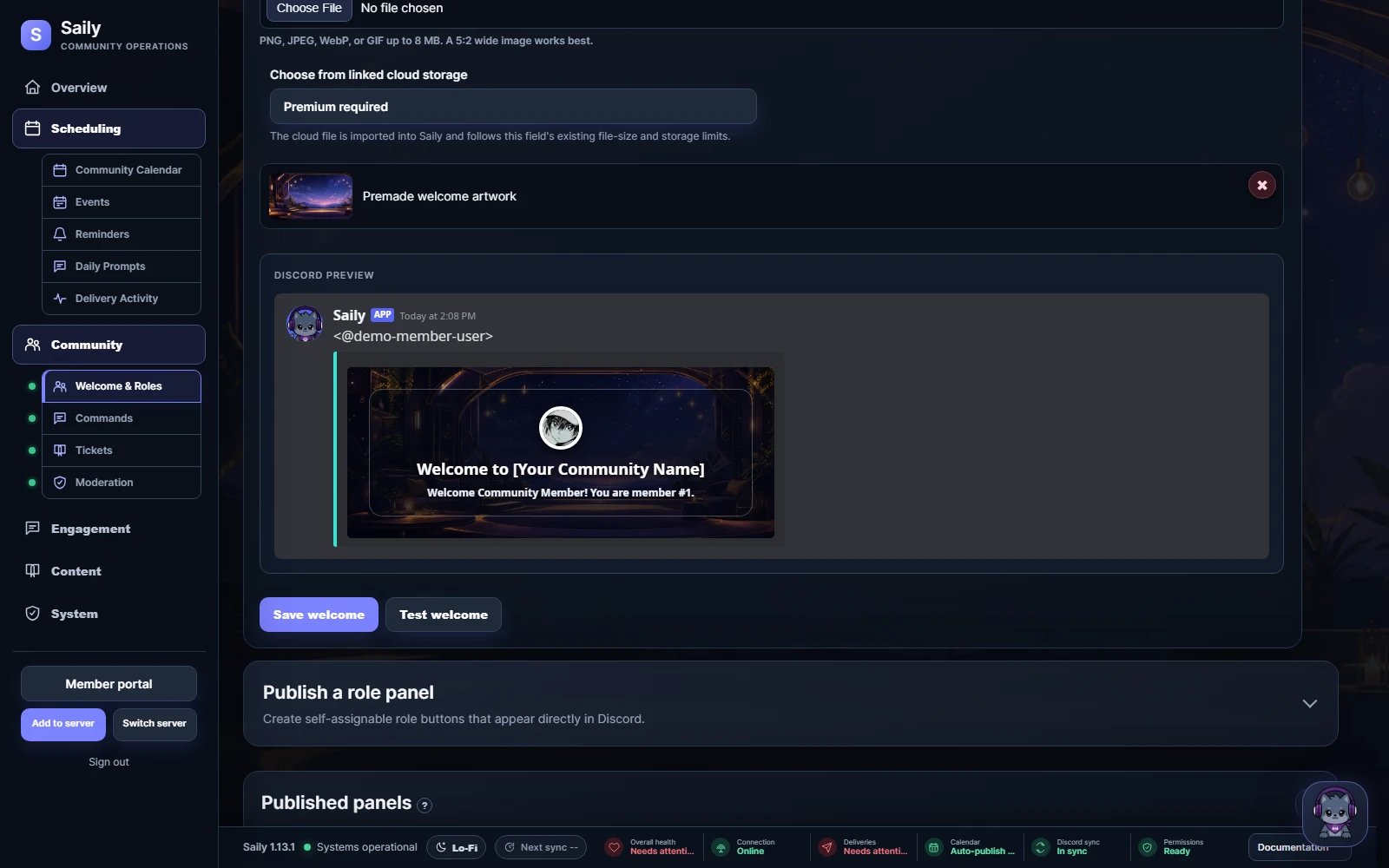
Welcome messages can wait for membership screening, mention an approved role, and render the member avatar with centered artwork. Role panels publish Discord buttons that toggle or exclusively select roles.
- Saily needs View Channel and Send Messages in the destination.
- Role buttons need Manage Roles and correct role hierarchy.
- Published panels can be edited or deleted from the dashboard.
Commands
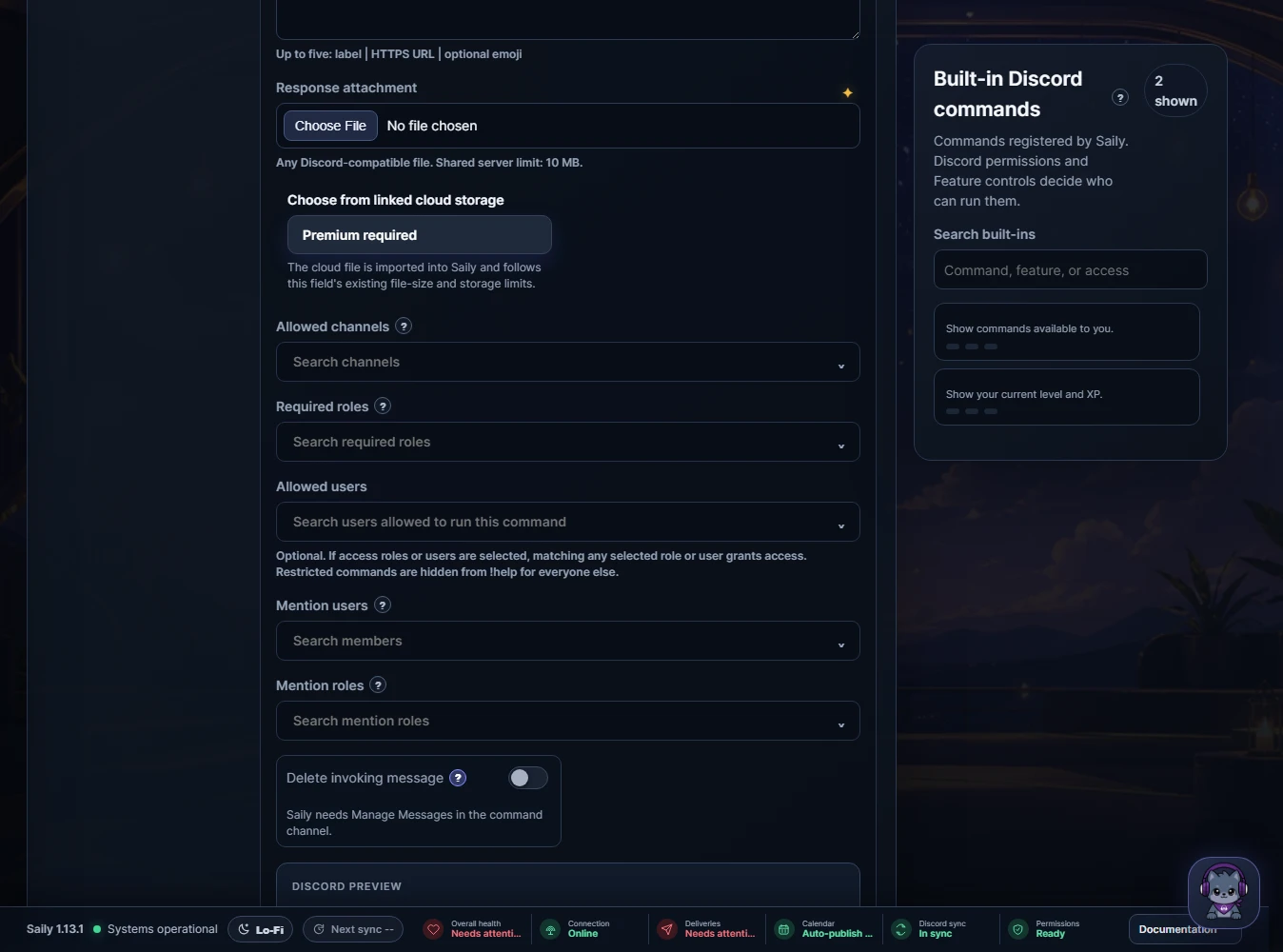
Saily keeps quick member and staff actions in Discord while scheduling and other detailed configuration stay in the dashboard. Custom prefix commands can send text, embeds, links, files, buttons, or a ticket action.
- Use /help to see commands available to your role.
- Use /dashboard for a private link to the current server's dashboard.
- Custom commands can restrict channels, roles, users, and cooldowns.
- Saily falls back to its bot identity if a configured webhook cannot post.
Tickets
Create Support, Report, Application, or Appeal flows with private channels, form fields, staff roles, categories, and log destinations.
- Ticket staff can claim, add members, close, or cancel.
- Saily checks both configured staff roles and Discord permissions.
- Premium transcript settings preserve a staff-readable record before cleanup.
Moderation
Manual slash commands handle warnings, notes, timeouts, kicks, bans, purge, slowmode, and cases. Optional rules cover keywords, invites, spam, repeats, mentions, and caps.
- Saily cannot act on the server owner, itself, protected roles, or equal and higher roles.
- Evidence excerpts expire while the case record remains.
- Automatic escalation stays off until an administrator enables it.
Levels and Saily Card
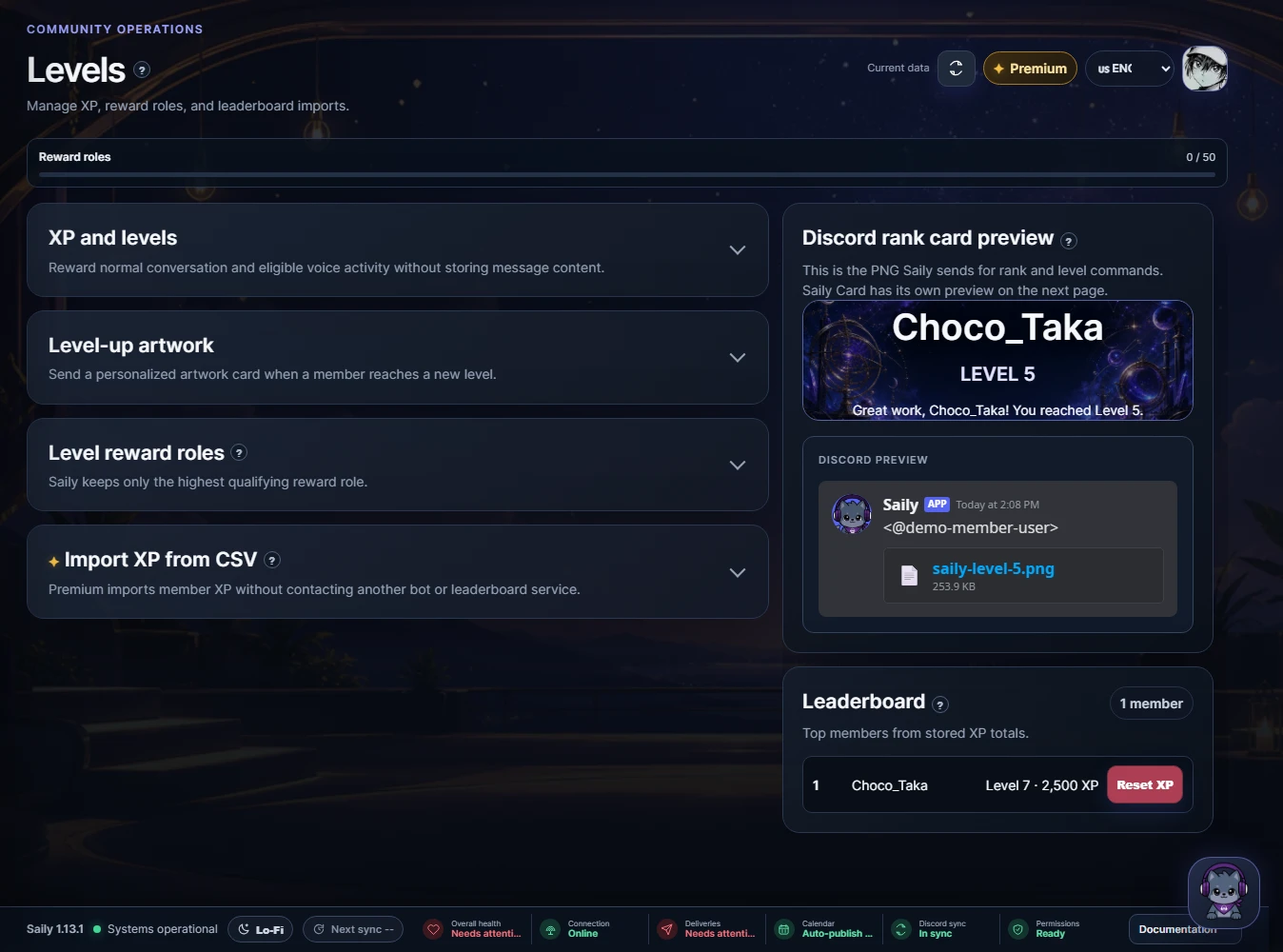
Text and eligible voice activity can award XP. Members check rank, leaderboards, badges, and their Saily Card through Discord or the Member Portal.
- No-XP roles and channels exclude selected activity.
- Reward roles keep the highest qualifying role.
- Premium administrators can import a CSV containing user_id and xp or level, preview errors, and roll back the import.
- XP, level, rank, and local badges remain server-specific.
Creator alerts, birthdays, and giveaways
Connect Twitch or YouTube links, announce birthdays, and run Discord-native community rounds.
- YouTube links are validated through the official YouTube Data API. Supported formats are youtube.com/@handle, youtube.com/channel/UC..., and raw channel IDs.
- Twitch uses Helix and EventSub and refreshes creator artwork automatically.
- Birthday announcements can include artwork and an optional temporary role.
- Giveaways support raffles, rolls, and quiz rounds according to the server plan.
Temporary Voice Rooms
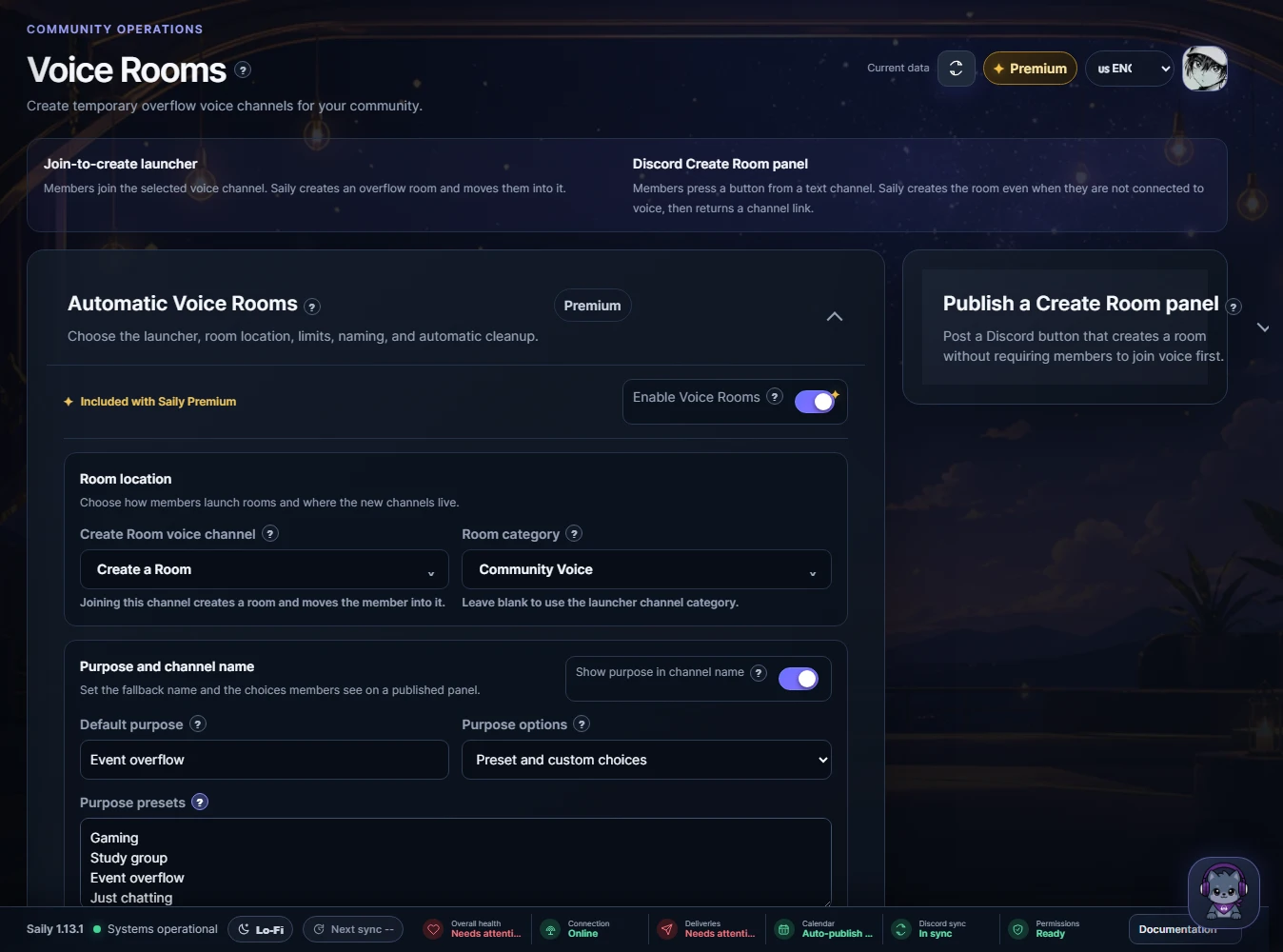
Premium servers can turn a launcher voice channel or published Discord button into temporary overflow rooms with controlled names, purposes, and member limits.
- Choose the launcher voice channel and the category where new rooms belong.
- Set a default purpose, optional presets, and the largest member limit a creator may request.
- Saily moves the creator into the new channel and deletes the room after it stays empty for the configured grace period.
- Active rooms can be renamed, resized, or deleted from the dashboard.
Member Portal and personal data
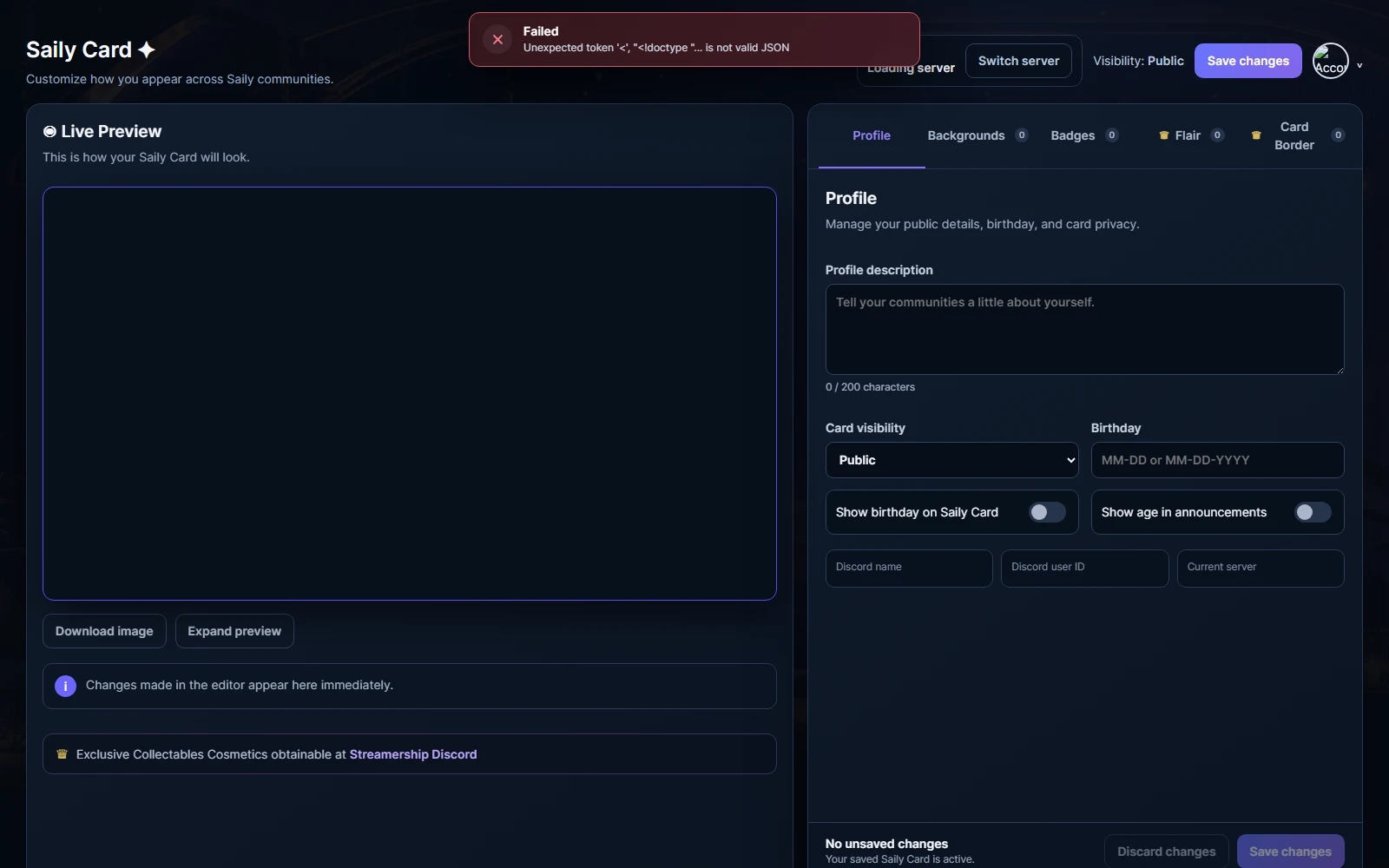
The Member Portal lets a member view XP and rank, arrange badge slots, customize Saily Card cosmetics, manage birthday and visibility settings, and request a personal export or deletion.
- XP and server-local badges follow the selected server.
- Global badge ownership and eligible global cosmetics follow the member across Saily servers.
- Description, shared badge slots, wallpaper, birthday, and visibility follow the member across Saily servers.
- Private cards are not shown publicly.
Link Storage
Premium server administrators can connect Google Drive, OneDrive, SharePoint, or Dropbox and choose files for Saily features that accept uploads.
- Connect a provider from Link Storage and review the account shown before selecting files.
- Only the files you choose are imported into Saily and normal upload validation still applies.
- Disconnecting removes Saily's provider authorization and linked references.
- Cloud accounts and selected files remain scoped to the server or owner workspace that connected them.
Contact & Support
Contact & Support provides Saily's official contact links and a safe diagnostic summary for support requests.
- Server administrators retain dashboard access according to their Discord permissions or granted access.
- Member Portal access remains separate and belongs to the signed-in member.
- The copied support summary excludes tokens, message content, and member data.
Common problems
Most delivery problems come from Discord permissions, role hierarchy, blocked DMs, an expired OAuth session, or a paused feature.
- Missing channel access: confirm View Channel and Send Messages for Saily in that channel.
- Role failure: move Saily above the target role and grant Manage Roles.
- Blocked calendar DM: allow server DMs, then press Try Again.
- OAuth redirect error: use dashboard.sailyapp.com and sign in again.
- Delayed configuration: wait for the immediate config signal or use Refresh.
Discord commands and access
Saily only shows commands that match the member's enabled features and access. Discord permissions and configured staff roles are checked again when a command runs.
| Command | Who can use it | Purpose |
|---|---|---|
/dashboard | Manage Server | Open this server's Saily dashboard |
/help | Members | Show enabled Saily features and commands |
/welcome status | Manage Server | Show welcome setup status |
/welcome test | Manage Server | Send a welcome preview |
/welcome enable | Manage Server | Enable welcome messages |
/welcome disable | Manage Server | Disable welcome messages |
/ticket open | Members | Open a ticket |
/ticket mine | Members | Show your open tickets |
/ticket claim | Ticket staff | Claim the current ticket |
/ticket add-member | Ticket staff | Add a member to this ticket |
/ticket close | Ticket staff | Close the current ticket |
/rank | Members | Show a member's level and rank |
/levelup ping-user | Manage Server | Choose whether level-up announcements ping the member |
/leaderboard | Members | Show the server XP leaderboard |
/me | Members | Open your private Saily Member Portal |
/card | Members | Show a Saily Card |
/badges | Members | Show a member's badges |
/birthday set | Members | Save your birthday |
/birthday view | Members | View a birthday |
/birthday remove | Members | Remove your birthday |
/warn | Moderators | Warn a server member |
/note | Moderators | Add a private moderation note |
/timeout | Moderators | Timeout a server member |
/untimeout | Moderators | Remove a member timeout |
/kick | Moderators | Kick a server member |
/ban | Moderators | Ban a server member |
/tempban | Moderators | Temporarily ban a server member |
/unban | Moderators | Remove a server ban |
/purge | Moderators | Delete recent messages |
/slowmode | Moderators | Set channel slowmode |
/case | Moderators | Show a moderation case |
/cases | Moderators | Show recent cases for a member |
/points give | Manage Server | give member points |
/points remove | Manage Server | remove member points |
/points set | Manage Server | set member points |
/points transfer | Manage Server | Move points between members |
/badge grant | Manage Server | grant a member badge |
/badge revoke | Manage Server | revoke a member badge |